If you haven’t heard, Model Context Protocol is getting a big update this month. The core protocol is changing, and servers will need to be updated to support it.
With a breaking protocol change arriving, it’s more important than ever to test your servers against the official spec. And to make the test-and-fix loop even faster inside coding agents, MCP Debugger is now an MCP server itself. 🚀
Supporting stateless MCP
The MCP spec has evolved considerably over the past two years, and the July 2026 release is no exception. Stateless MCP makes it easier to scale MCP servers without exploding server-side complexity, but it requires a breaking change to the lowest level of how MCP works over HTTP.
Whenever a breaking change lands, it can be difficult to find a reliable way to test the new behavior, especially when most clients don’t support it yet! Tools like MCP Debugger provide a solid test bed for experimenting with new protocol behavior. (Not to mention, I need it to test my own MCP servers)
The fantastic work happening in the modelcontextprotocol/conformance project helped tremendously. The MCP conformance suite is the canonical protocol check that confirms whether a server (or client) is speaking the protocol correctly. MCP Debugger benefits from the suite, and I’m happy that I’ve been able to contribute some useful tests back to the project from observations in MCP Debugger.
It was time for a visual refresh, too. Along with support for the July 2026 protocol, MCP Debugger got a fresh coat of paint.
But more importantly…
Scanning MCP over MCP
The number-one feature request I’ve heard is to bring MCP Debugger into the agentic loop.
Now you can scan MCP servers using MCP Debugger itself. Add the official MCP Debugger server to your coding agent:
If your client supports the now-official Tasks extension, MCP Debugger uses it to represent the asynchronous scan and its result. If your client doesn’t support Tasks yet, MCP Debugger provides a simple tool for retrieving the result instead.
Try it out
Humans can head over to mcpdebugger.dev, paste in a server URL, and get a report in a few seconds:
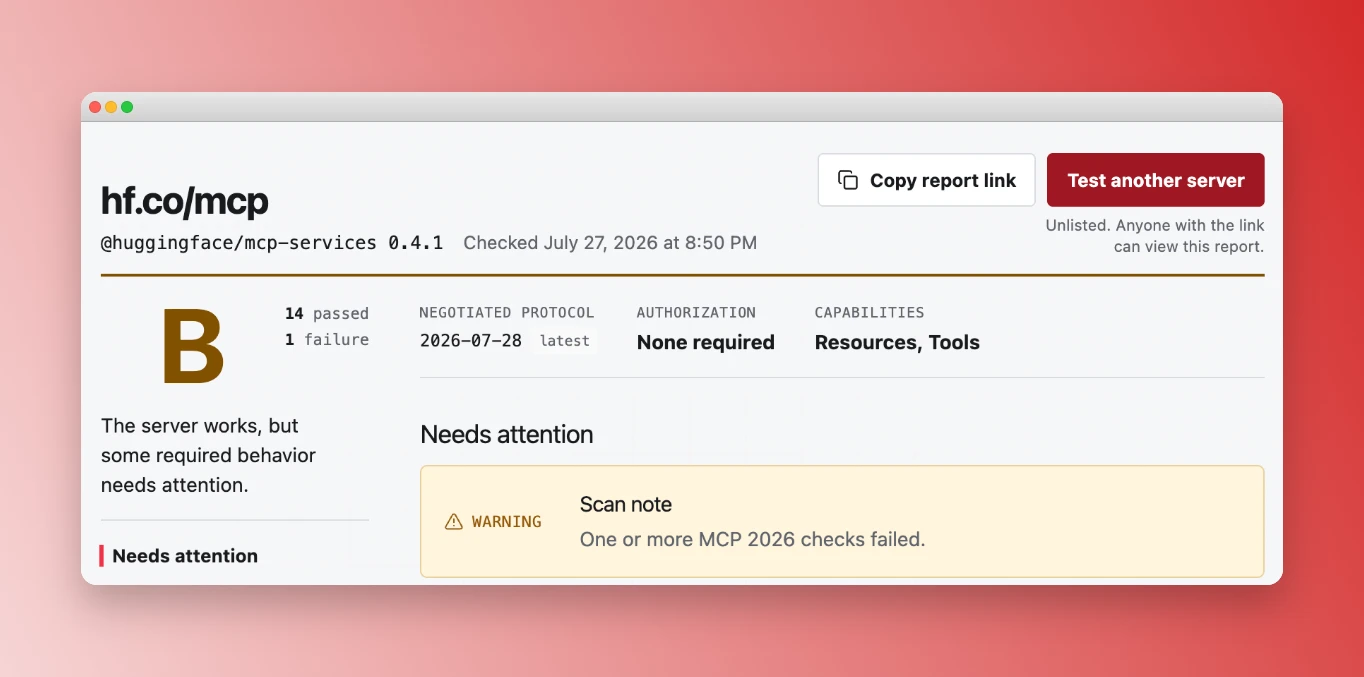
Coding agents can connect to MCP Debugger as a remote MCP server, request scans, and retrieve detailed reports: https://mcpdebugger.dev/mcp
Please send me your feedback! I’ve especially appreciated all the bug reports and feature requests I’ve received from the community. Thank you!